AI Crypto Research Agent: Live Data, Routines and Connectors
TraderSpy's AI agent researches crypto futures with live data, runs research on a schedule, works with your exchange connectors and lets you pick the model.
Ask a general chatbot where SOL is trading and it will apologise, or guess. Language models reason well about markets and see none of them: their knowledge stops months before your trade starts. The useful question is not whether an AI can talk about crypto, but what it can see when it answers, and what it is allowed to do with what it sees.
The TraderSpy AI agent was rebuilt around those two questions. It answers from live market data, keeps researching after you close the tab, works with the services you already use, and asks before anything leaves the chat. This guide covers what it does, how each piece works, and where its limits are.
What the Agent Is
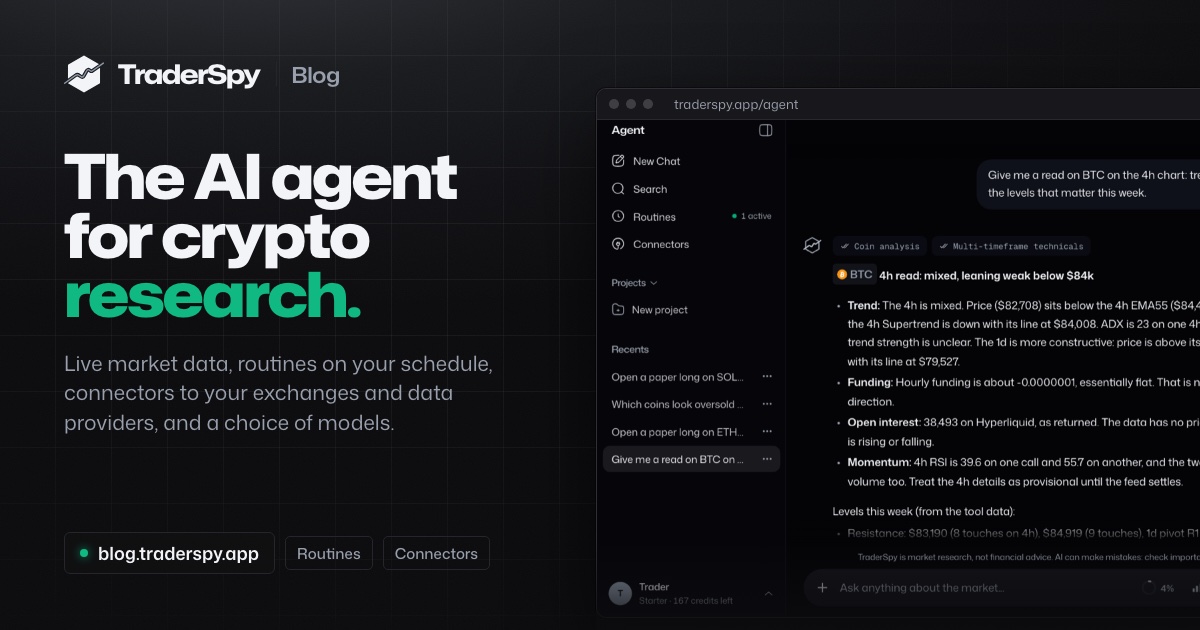
The agent lives at traderspy.app/agent. It is a market research agent: a chat in which every answer is built from tools that fetch data at the moment you ask. Each answer shows which tools it called, so you can see where a number came from.
What it does:
- Answers from live data: prices, multi-timeframe technicals, funding, open interest, AI signals and the positions of top traders on four exchanges
- Runs routines: research on a schedule you set, delivered in the app, by push or by email
- Uses connectors: your exchange and data-provider accounts, under a permission you set for each tool
- Builds alerts from a sentence, with a backtest before anything is saved
- Lets you pick the model and the effort: Claude and GPT models; Fast, Balanced or Thorough
- Keeps what you choose to keep: memory notes, projects and the files you attach
Research With Live Data, Not Training Data
Ask “Give me a read on BTC on the 4h chart: trend, funding, open interest and the levels that matter this week” and the agent does not reach into its memory. It calls tools: one for the coin’s current state, one for technicals on several timeframes, more if the question needs them.
The data it can pull:
- Prices and candles for 700+ Binance and Hyperliquid perpetual markets, 500+ of them crypto
- Technicals on several timeframes: RSI, MACD, EMA 9/21/55/200, Stochastic, ATR, OBV, SuperTrend, Ichimoku, pivot points and swing support and resistance
- Funding and open interest, plus a scan of the coins with the strongest long and short momentum
- AI signals with their entry, take-profit and stop-loss levels, and how past signals of the same kind resolved
- Smart money: what tracked top traders on Binance, Bybit, Hyperliquid and OKX hold right now
- Market context: the market calendar (CPI, jobs reports, FOMC decisions, Binance Futures listings) with how Bitcoin moved on past release days, an hourly market brief and live headlines
The answer describes what the data shows and which levels would confirm or invalidate the reading. When a figure has nothing to compare against, such as an open interest reading with no earlier value, it says so instead of inventing a trend.
Routines: Research on Your Schedule
A chat answers when you ask. A routine answers when you told it to: every morning at 8:00, every four hours, every Monday.
Start from a template or write your own instruction:
- Morning brief: BTC and ETH, the day’s movers, overnight AI signals, smart-money shifts and sentiment
- Watchlist digest: the coins you follow and what changed on them
- Smart money moves: what tracked top traders opened and closed
- Signal digest and Strategy digest: what the AI signals and your own alert strategies did
- Weekly recap: the week in one report
Reports arrive in the app, as a push notification or by email. A routine that runs more often than once a day reports only when something changed, so an hourly check does not turn into hourly noise.
Routines only read data and report back. They never place trades and they do not use connectors, so a schedule cannot act on an account by itself.
Connectors: Bring Your Own Services
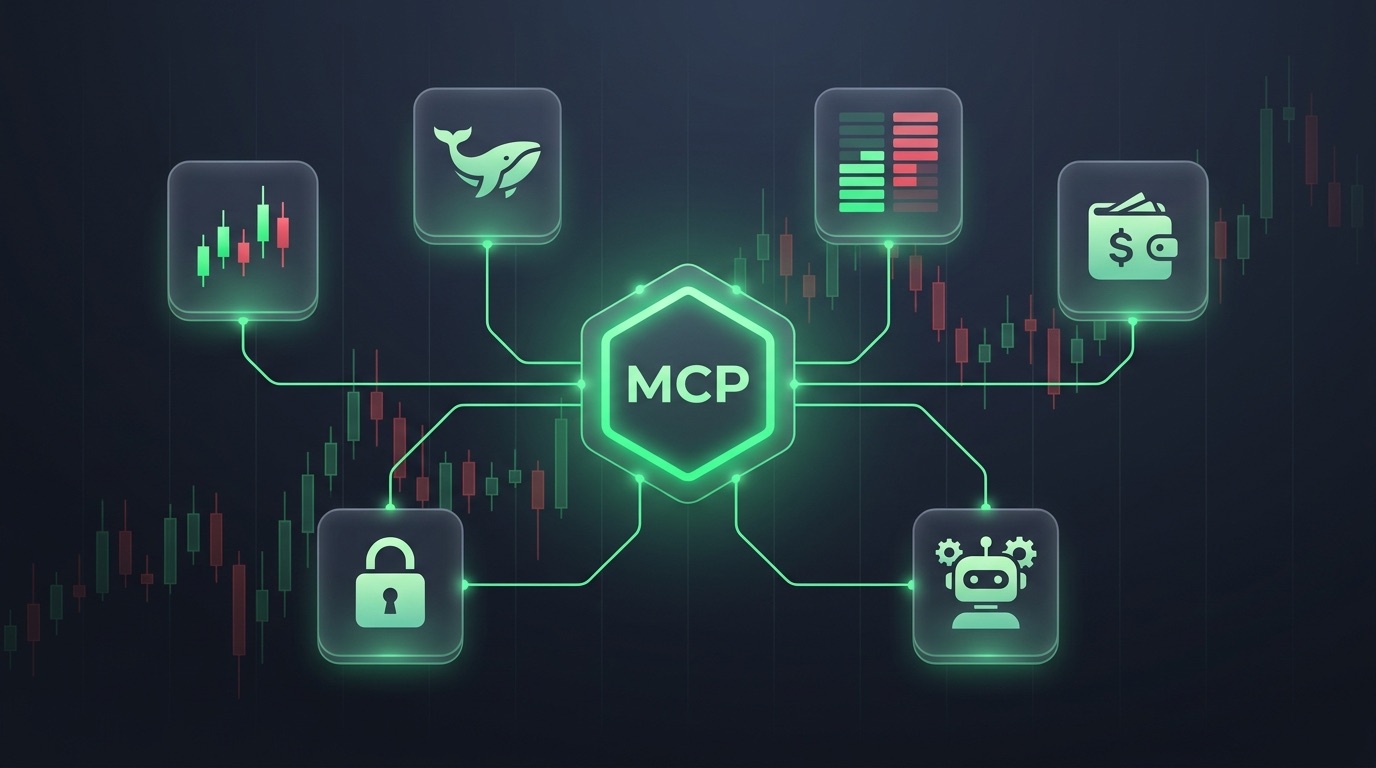
A connector is an MCP (Model Context Protocol) connection to another service. Once you add one, the agent can use that service’s tools in your chats; the functions and the data come from the service itself.
TraderSpy lists ready-made connectors for exchanges and market-data providers such as OKX, Bybit, CoinMarketCap, CoinGecko, CoinDesk Data and TradingView, and you can add any other MCP server by URL. Most connect with a sign-in on the provider’s own page, so your password stays with them.
You decide what the agent may do with each tool:
- Always allow: the agent uses the tool when it needs it. Tools that only read data start here.
- Ask first: the agent shows you the exact request and waits for your approval before every call.
- Off: the agent never uses it.
A tool that could change something stays off unless it is a trading action of a venue TraderSpy has integrated. On such a venue the agent can prepare an order on your own account there: TraderSpy checks it with the venue, shows it to you on a card, and sends it only after you confirm it. The venue carries it out, and you trade at your own risk. Tools that deposit, withdraw or transfer funds are never available through TraderSpy, and the credentials you add are stored encrypted.
Pick the Model and How Hard It Thinks
Free accounts use a fast standard model. Paid plans can choose among more capable models from Anthropic (Claude) and OpenAI (GPT), all run on Amazon Bedrock. The model picker shows roughly how many credits an answer costs on each.
Next to the model sits the effort control:
- Fast: short answers, fewer tool calls
- Balanced: the default
- Thorough: more tool rounds and a longer answer, usually more credits
The agent and routines spend AI credits from a daily allowance that renews at 00:00 UTC. At the base rate one credit stands for $0.001 of AI model cost, and each model has its own rate, so a larger model uses more credits for the same answer. Your conversations, files and memory notes are not used to train AI models.
From an Idea to an Alert in One Conversation
Most alert ideas start as a sentence: “tell me when SOLUSDT’s 4h RSI crosses back above 30 while price is above the 200 EMA”. Typed into the agent, that sentence becomes rules, and the rules are tested before you commit to them.
The agent backtests the idea on up to 1,000 candles per coin and tells you:
- How often it would alert, so you see a noisy rule before it fills your phone
- How price moved afterwards in the direction you chose, long or short
- Whether that beat the coin’s own baseline, so a rising market does not make every rule look good
If the numbers hold up, it offers the strategy as a card you create with one tap. Later you can ask it to remove a coin, switch to the 1h chart, pause or delete the strategy, each through its own card. Strategies send alerts; they never place an order.
Paper Trades, Confirmed on a Card
Want to test an idea with nothing at stake? Ask the agent for a paper trade. It prepares the trade with your values (coin, side, margin and leverage) and opens it on your TraderSpy paper account only after you confirm it on the card. Virtual funds, live prices, no deposit.
Files, Memory and Projects
- Files: attach a chart screenshot or a document (PDF, text, CSV, Word, Excel) and ask about it.
- Memory: the agent can keep short notes about your preferences, such as a preferred timeframe or the coins you follow. Memory is on by default; you can see, add or delete notes in Settings, or turn it off.
- Projects: group conversations under shared instructions, for example “swing trades, 4h and daily, majors only”.
- Share links: publish an answer built from public market data as a read-only page; your question and the rest of the conversation stay private.
- Ask the agent: buttons on signal charts, coin pages, trader profiles and strategies open the agent with a question about what you are looking at.
What the Agent Will Not Do
A research agent is only useful if you know where its limits are. These hold in every answer:
- It makes no buy or sell calls and never chooses your leverage or position size.
- It quotes only figures its tools returned.
- It describes backtests and signal statistics as what already happened, not as a forecast.
- It is market research, not financial advice. Every decision stays yours.
Plans at Launch
| Plan | Price | AI credits a day | Routines | Connectors | Models |
|---|---|---|---|---|---|
| Free | $0 | 40 | None | None | Standard model |
| Starter | $9.99/month | 200 | 3, as often as hourly | 2 | 3 models |
| Pro | $29.99/month | 750 | 10, as often as every 15 min | 5 | 5 models |
| Max | $99.99/month | 3,000 | 25, as often as every 5 min | 15 | 7 models |
Annual billing gives two months free, and first-time Starter subscribers get a 7-day free trial. Paid plans can top up with credit packs. Current details are on the pricing page.
The iOS and Android apps chat with the same agent. Routines, connectors, model choice and file uploads are on the web for now.
Getting Started
- Open traderspy.app/agent and ask about a coin you follow, for example “What is the 4h trend on ETHUSDT, and where are funding and open interest?”
- Turn the question you would ask every day into a routine: start from the Morning brief template and change the time.
- Add one connector for a service you already use and set each of its tools to the permission you want.
- Describe one alert idea in a sentence and read the backtest before you create it.
If you already work in Claude, ChatGPT, Grok or Gemini, you can also bring TraderSpy’s market data there with the read-only MCP connector; our crypto MCP server guide walks through the setup.
Markets move faster than anyone can read them. The agent does the reading, and every decision stays yours.