AI Routines for Crypto: 10 Research Tasks Worth Automating
What to automate with AI routines in crypto: morning briefs, smart money and funding checks, macro prep, signal digests and a stop that asks before it moves.
Crypto never closes, so the work of following it never ends. Every morning you check the same things: where BTC and ETH are, what moved overnight, which signals fired, what the top traders did, whether funding got stretched, whether a CPI print or a Fed decision is coming. It is the same checklist every day, it takes half an hour, and the day you skip it is the day something happened.
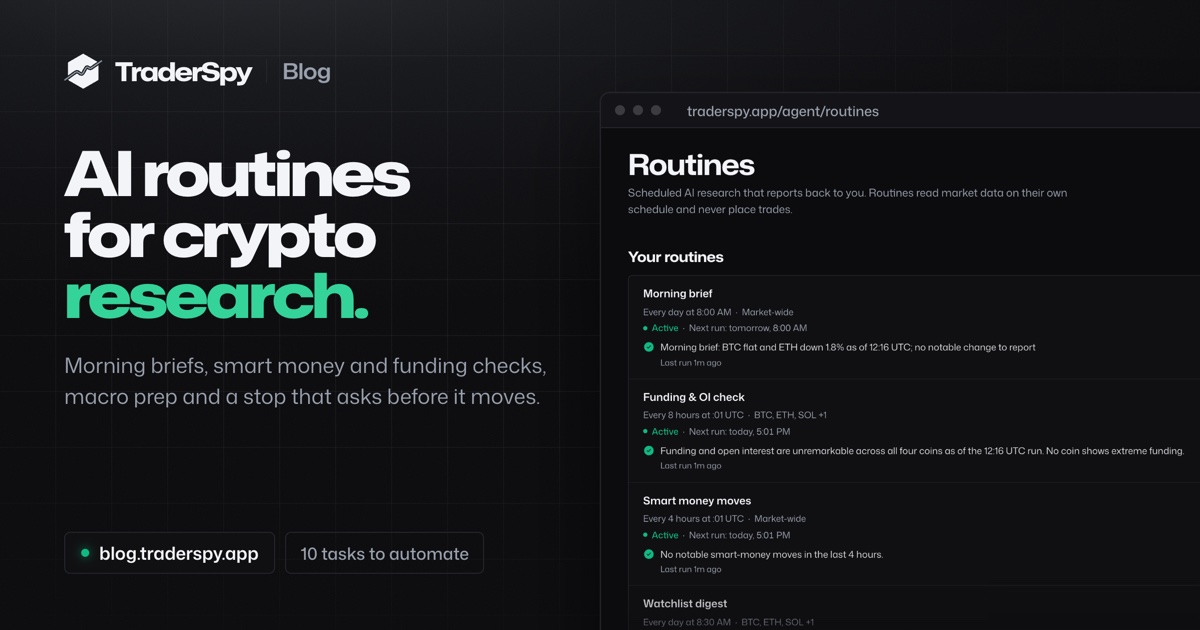
An AI routine is that checklist written down once and run for you. You describe the research in plain words, pick a schedule, and an AI agent reads the live data, writes a short report and sends it to you. This guide covers how routines work on TraderSpy, ten research tasks worth putting on a schedule with instructions you can copy, and how to keep routines useful rather than noisy.
What an AI Routine Is
A routine has three parts:
- An instruction: what to research and how to report it, in your own words.
- A schedule: daily or weekly at a time you pick, every few hours, or every few minutes.
- A delivery: in the app, as a push notification on your phone, or by email.
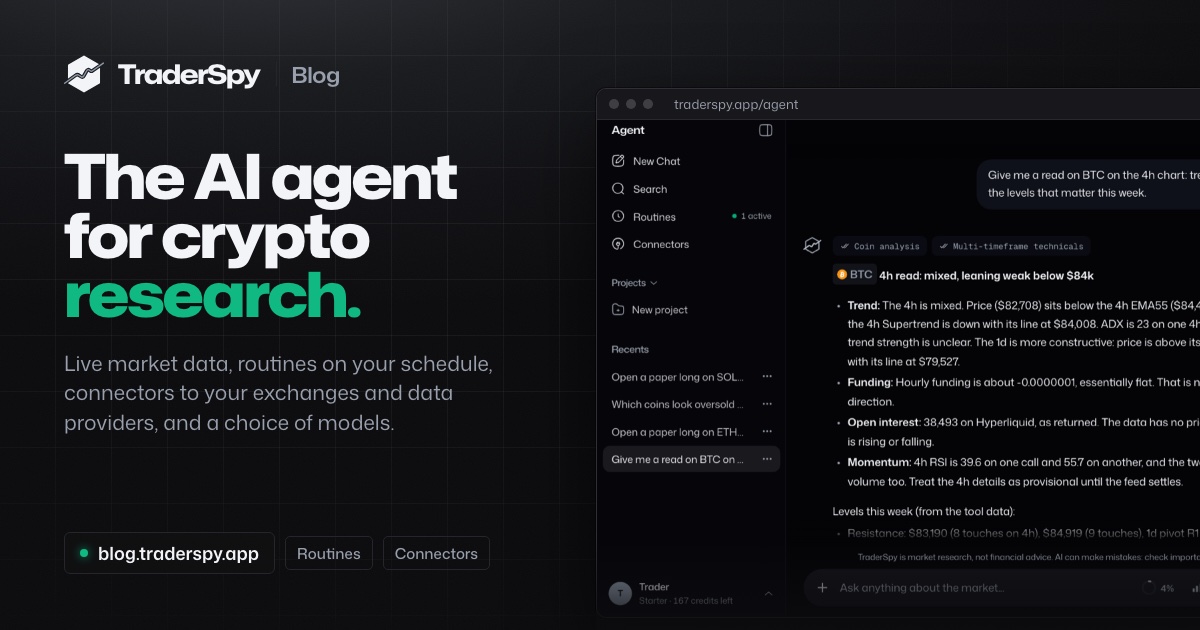
At each run the agent calls its tools at that moment: prices and candles, technicals on several timeframes, funding and open interest, AI signals, the positions of top traders on Binance, Bybit, Hyperliquid and OKX, the market calendar and live headlines. It writes the report from what the tools returned, puts the most important line first as the headline, and ends with a no-advice line.
A routine is not a trading bot. It reads data and reports back. The tools a routine gets can only read, and an instruction that asks it to buy, sell or open a position is refused when you save it, with a suggestion to rephrase it as something to watch. The one routine that touches an account, the position guard in task 10, can only ask you to tighten a stop.
Routine, Alert or Chat?
| You want | Use |
|---|---|
| An answer right now | A chat with the agent |
| A ping the moment an exact condition is met, such as SOLUSDT’s 4h RSI crossing 30 | An alert strategy |
| A written read of several sources on a schedule | A routine |
| A stop that follows your rule, with your approval on every move | A position guard |
Alerts and routines work well together: an alert catches the exact moment, and a routine reviews the day around it.
How a Routine Runs
The Schedule
- Daily or weekly at your local time: every day, weekdays, weekends or the days you pick. A routine follows your time zone across clock changes, so 08:00 stays 08:00 in March and in November.
- Every 1, 2, 3, 4, 6, 8 or 12 hours on the UTC clock, at the minute you choose. The default minute is :01, so a 4-hour routine runs one minute after each 4h candle closes and reads a finished candle, not a half-formed one.
- Every few minutes, as often as every 5 minutes.
A Quick Check Before Every Run
A routine that runs often would be expensive and noisy if it wrote a full report every time. So before the model is called, TraderSpy counts what is new since the last report in the routine’s scope: AI signals published, signals that resolved, smart money moves and alerts from your own strategies.
With Only when something changed on, a run with nothing new is recorded as checked and skipped. It calls no model and costs no credits. A heartbeat still sends a report after a quiet stretch (24 hours by default), so you know the routine is alive. The check is always on for routines that run more than once a day.
Notifications That Respect Your Attention
Every report lands in the routine’s history. On top of that you choose Every report or Notable reports only. With the second, the agent judges whether a report holds something worth a notification, and only those send a push or an email. A quiet 4-hour check stays in the history without buzzing your phone.
Push notifications go to the TraderSpy app on your phone. Email goes to your account’s address, for routines that run at most once a day.
What It Costs
Each run spends AI credits from your plan’s daily allowance, like a chat answer. The editor shows an estimate per run and per month before you save, and a skipped quiet check costs nothing. In our test runs on the default model, a morning brief used 7 credits; Starter includes 200 credits a day. You can pick the model for each routine; the largest models run at most once an hour.
10 Research Tasks Worth Automating
Tasks 1, 2, 4, 8 and 9 start from the six built-in templates with one click; the rest are instructions you write yourself. Every instruction below can be pasted into a routine as it is, then changed to fit your coins and your day.
1. The Morning Market Brief
Template: Morning brief. Schedule: every day at 08:00 your time.
BTC and ETH with their 24-hour move, the strongest and weakest momentum readings, the AI signals published since yesterday evening, how the smart money long/short balance shifted overnight and the Fear & Greed reading, in under 180 words with a time on every number.
Set it 15 to 30 minutes before you usually sit down, and switch the days to weekdays if you do not trade weekends. It replaces the first ten browser tabs of the day.
2. A Digest of Your Own Coins
Template: Watchlist digest. Schedule: every day at 08:30.
One short paragraph per coin: price and 24-hour change, the trend on the 1h, 4h and 1d charts, new AI signals, notable smart money moves and the funding rate with a one-line read of what it says about the crowd. A routine takes up to 10 coins; five or six give each one room.
Prefer to keep your list in one place? Star coins in TraderSpy and write “the coins on my watchlist” in a custom instruction: the routine reads your list at every run.
3. A Momentum Scan After Every 4h Close
Custom. Schedule: every 4 hours at :01 UTC.
TraderSpy scores every tracked coin on nine technical criteria every five minutes. A routine can read the top of that list right after each 4h close and tell you which readings are backed by something else.
List the five strongest long-side and the five strongest short-side momentum readings, with the main reasons for each. Mark the coins where an AI signal or smart money positioning points the same way. Under 150 words.
Set it to Notable reports only, so your phone lights up only when a reading lines up with other data.
4. Smart Money Moves
Template: Smart money moves. Schedule: every 4 hours, only when something changed.
What the tracked top traders opened and closed since the last report, largest first, and anything unusual: several traders moving the same way on one coin, or one trader turning from long to short. TraderSpy counts every position change in the window before the agent writes, so the report covers all of them, not a sample.
Add coins to narrow it to the markets you trade, and see the smart money tracking guide for how to weigh these moves. To hear about one trader the moment they move, follow them on Top Traders instead.
5. A Funding and Open Interest Check
Custom. Schedule: every 8 hours.
Funding shows which side of the market is paying to hold its positions, and open interest shows whether new money is coming in. Extremes in either are where squeezes start, as the funding rates guide explains.
For BTC, ETH, SOL and HYPE: the current funding rate, the open interest and the 24-hour price change. Flag any coin where funding is unusually high or negative, or where price and funding point in opposite directions. One line per coin.
6. Macro Event Prep
Custom. Schedule: weekly, Monday at 07:00 your time.
US inflation prints, jobs reports and Fed decisions move crypto, and they happen on known dates. The market calendar holds the official schedules and how Bitcoin moved on past release days, and a routine can read both.
Check the market calendar for US CPI releases, jobs reports and FOMC decisions in the next 7 days. For each one: the date and time in my time zone, and how Bitcoin moved on the last releases of that kind, on the day and the day after. Then list the Binance Futures listings and delistings coming up this week.
The macro events guide covers what each release tends to mean for crypto.
7. A Headline Filter
Custom. Schedule: every 12 hours.
Most crypto news is noise for the coins you actually follow. A routine can read the latest CoinDesk and Cointelegraph headlines and keep only the ones that matter to you.
From the latest crypto headlines, list only the stories that mention BTC, ETH, SOL or the coins on my watchlist, with one line each on what the story says and when it was published. If none do, say so in one line.
8. Signal and Strategy Digests
Templates: Signal digest (every evening at 20:00) and Strategy digest (21:00).
The signal digest lists the AI signals published today and the earlier ones that resolved today, each on its own line: a target reached, the stop level hit, or still running. Stops are listed as plainly as targets, and nothing is added up into a score.
The strategy digest goes through what your own alert strategies fired in the last 24 hours, how the price moved after each alert, and which strategies stayed quiet. Read together, they turn a day of scattered push alerts into one review. A strategy that fired ten times without a meaningful move afterwards is a rule worth tightening.
9. The Weekly Recap
Template: Weekly recap. Schedule: every Sunday at 18:00.
How BTC, ETH and the broader market moved this week, a few notable signal outcomes, the biggest smart money shifts, what your strategies alerted on and what to watch in the week ahead, in under 250 words. A weekly routine can also go out by email, which makes it a good one to read on Sunday evening.
10. A Position Guard: a Stop That Asks Before It Moves
Custom, on a connected trading venue. Checks as often as every 15 minutes.
Trailing a stop by hand means watching the chart. A position guard is a routine that watches one position you hold on a trading venue you connected under Connectors, currently OKX or MCPify (a Hyperliquid trading terminal), and applies your own rule for when the stop-loss or take-profit should move. You set one up by asking the agent in a chat, and it proposes the guard as a card you create with one tap.
Watch my SOL long on OKX. Once the price is 1.5 times the 1h ATR above my entry, ask me to move the stop to my entry. After that, each time a new 1h swing low forms above my current stop, ask me to raise the stop to just below it.
How it behaves:
- It reads before it thinks. The guard reads the position through your connector and calls the agent only when something changed: the first look, a new size, stop or take-profit, a 0.5% price move since the agent last looked, or a daily heartbeat. A quiet market costs nothing.
- It asks, you decide. When your rule says the stop should move, it sends an approval card to the routine’s own chat and a notification to your phone. Nothing changes until you tap Approve, and the card expires after an hour.
- It only tightens. A long’s stop can only move up and stays below the price; a short’s can only move down. It never removes a stop, never opens, closes or resizes a position and never moves funds.
- It stops when the job is done. When the position closes, the guard pauses itself.
The venue checks the change again before it carries it out, and you trade at your own risk. The ATR stop-loss guide covers how to size the distance.
Writing Instructions That Work
- Name the scope. Up to 10 coins, or none for the whole market.
- Ask for what the data shows, not what to do. “Tell me when”, “flag”, “compare” and “list” work. “Buy SOL if…” is refused.
- Set the shape of the answer: “under 150 words”, “one line per coin”, “largest first”.
- Say what quiet looks like: “If nothing notable happened, say so in one line.”
- Ask for times: “put the time on every number”, so a report you open late is not mistaken for live data.
- Let the check handle frequency. Every 4 hours with Only when something changed usually beats every 15 minutes.
- Test with Run now. Run it once, read the report, adjust the wording and run it again. You can start up to 20 manual runs a day.
Routines describe what the data shows. They are market research, not financial advice, and every decision stays yours.
Plans and Limits
Routines are part of the paid plans: Starter keeps up to 3 routines active, Pro 10 and Max 25. On the free plan you can browse the templates. Every paid plan can schedule a routine as often as every 5 minutes, and an account can keep up to 50 routines, paused ones included. Current prices are on the pricing page.
Getting Started
- Open traderspy.app/agent/routines, choose New routine, then From a template, and start with the Morning brief.
- Set the time and the days, keep push notifications on, and create it.
- Press Run now to see a first report straight away.
- Add a second routine in plain words: choose Build with AI and describe it, for example “check funding on my coins every 8 hours”. The agent proposes the routine as a card, and Create & run now saves it and runs it once.
- After a week, read the history: keep the routines you read, pause the ones you skip.
New to the agent itself? The AI crypto research agent guide covers its tools, models and connectors.
The market will not wait for you to check it. A routine does the checking on your schedule, tells you what changed, and leaves the decisions to you.